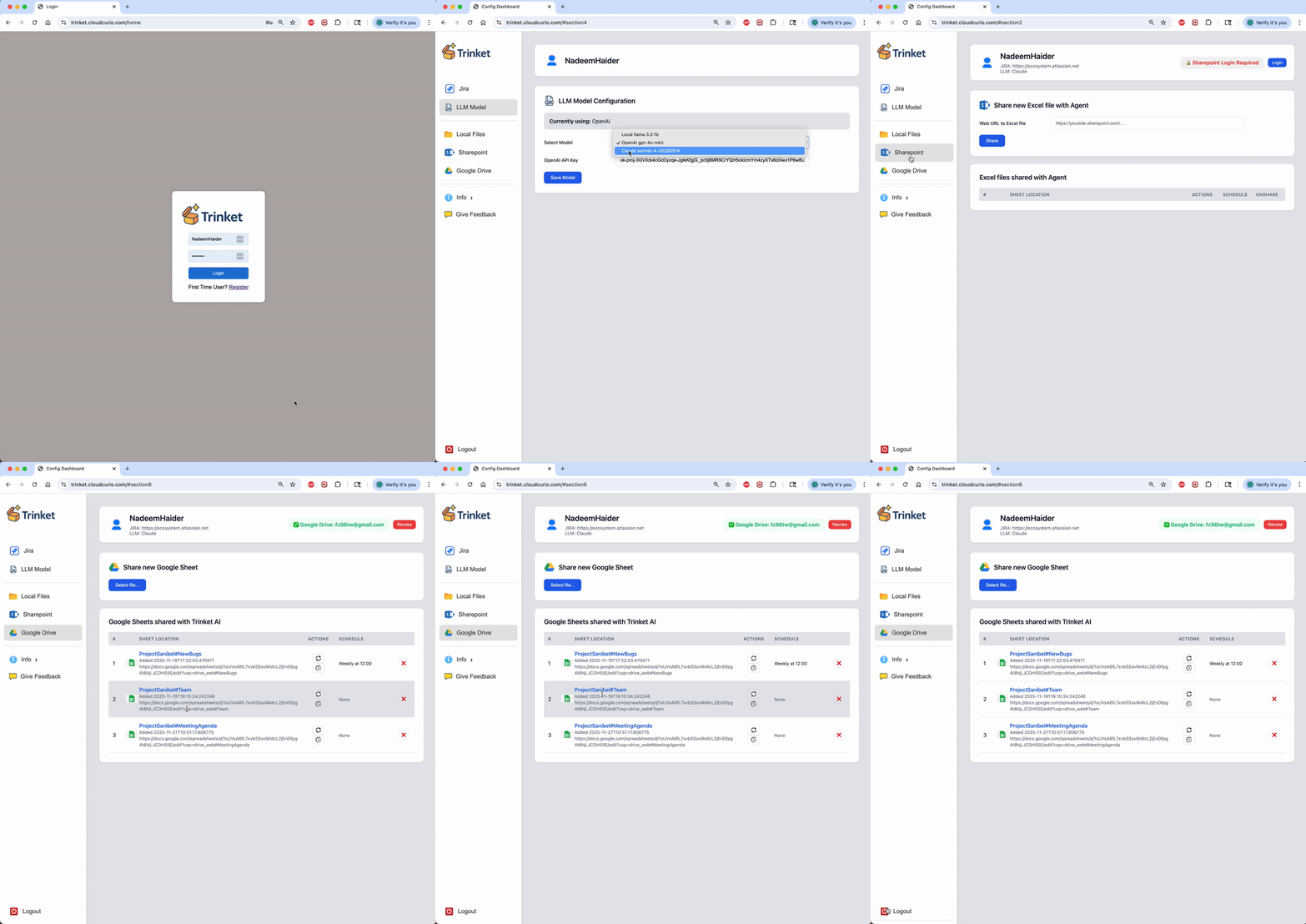
Trinket AI turns all your Jira project data into insights, tracks workflows and velocity, automates status reports, and streamlines team collaboration – freeing your team from reporting toil so they can focus on delivering real customer value.
Trinket AI is a cloud service that turns Jira chaos into clarity. Transform your Jira project data into fast, actionable insights - right inside the documents your teams already use to collaborate.
Close the gap between business planning, technical milestones, and stakeholder communication. Streamline collaboration across global teams. Trinket connects to Jira, Google Drive, and Microsoft Sharepoint to blend Jira updates, summaries, risks, workflow trends, etc. directly into your shared documents.
Trinket AI enables Product Owners, Project Managers, Engineering Leaders, Scrum Masters, and PMOs to apply Generative AI and LLM analysis to evaluate projects, validate alignment to goals and standards, strengthen risk mitigation, and extract actionable insights. Teams reclaim hours every week.

Your Jira projects represent aggregate state of the world comprised of Epics, Goals, Stories, Tasks, and Bugs. Trinket AI can present cross-functional stakeholders customized project views and status, highlighting differences in expectations, priorities, and progress, so teams can align, make informed decisions, and focus on delivering value

Automatically track work cycle time and team productivity across the entire Jira workflow. Leverage LLMs to automatically surface product, process issues, and communication bottlenecks. Trinket AI can provide actionable recommendations that help teams remove blockers, optimize collaboration, reduce risk and accelerate delivery.
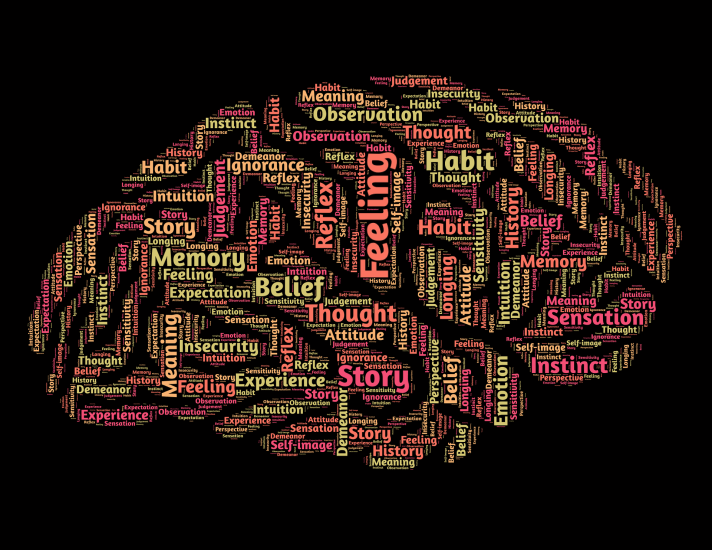
Jira projects contain wealth of valuable information that remains untapped. Analyze projects using LLMs from OpenAI, Anthropic, or on-premises models to summarize progress, identify risks and dependencies, and provide actionable insights - helping teams plan effectively, make informed decisions, and drive timely project execution.
Log into trinket.cloudcurio.com, configure relevant AI options, and give it read-only access to your Jira instance.
Create project templates in Google Drive or your corporate Sharepoint. Share these templates with Trinket which then serves as an AI agent that blends information between Jira and your shared documents. Trinket templates enforce consistency and retention of LLM context and prompts for repeatable analyses and shared reports.
Start using those documents to collaborate with your teams and Trinket will independently update them with latest Jira information along with required AI analyses. Free up the project managers from reporting toil.
These examples are only the beginning. With Trinket AI, the possibilities for analyzing your Jira projects are virtually limitless.
Identify newly created bugs in your Jira project over the last week and analyze their descriptions using LLMs to determine if they provide reasonable details for Engineering action.
Look at the Engineering team's monthly Jira resolution rate and summarize the impact of their work over last 3 months.
Understand the team's cycle time and apply AI to analyze the Jira data to identify friction-points impacting team velocity.
Selectively blend Jira information and project outlines into customized narrative intended for specific project stakeholders.
Turn your curated reports into a weekly status report. Schedule report creation and periodically email to stakeholders.
The easiest way to get started is to register for the cloud service at trinket.cloudcurio.com and sign up for the free tier account. An on-premises version of Trinket is also available for self-hosting. Please contact us or send email to info@cloudcurio.com for more information.
No. Trinket requires read-only access to Jira with a minimally-scoped access token. Any team member may use Trinket using the single read-only account that sets up the access token. Many teams take this opportunity to consolidate all their read-only Jira licenses into a single read-only account to reduce Atlassian licensing cost.
Atlassian Intelligence is more focused on individual Jira issues rather than curated reports across projects. All your data is walled within the Atlassian ecosystem with limited integration with other collaboration platforms. Atlassian Intelligence requires additional premium licenses for each user. On the other hand, Trinket is focused on curated reports, integration with your preferred LLMs, customizable LLM context and prompts, and seamless integration with Google Drive and Microsoft Sharepoint to support team collaboration. Trinket does not require Atlassian Intelligence.
No. Trinket AI only maintains the abiity to access the documents you share with it. All the information it generates is stored in your existing documents that are used for team collaboration in Google Drive or Microsoft Sharepoint. Trinket is an AI agent that keeps shared documents updated with Jira information. You don't need to log into Trinket to access your data.
Trinket can integrate with OpenAI GPT and Anthropic Claude models - bring your own API keys. Alternatively it can self-host your favorite open source model for a fully on-premises deployment.
All Trinket network traffic is encrypted. All interaction with Jira, Google Drive, Microsoft Sharepoint is done securely with OAuth2 and least-privileged authorizations policy enforced on per document basis. All the data the Trinket pulls from your Jira instance is blended into your documents in Google Drive and Microsoft Sharepoint. Trinket does not save any data outside of your collaboration documents.
Yes. Self-hosting the entire Trinket stack is supported. Please contact us or email info@cloudcurio.com for more information on the on-prem setup.
Please contact us or email info@cloudcurio.com to inquire about customizations, integrations, and other bespoke capabilities.

Consolidate all read-only Jira accounts into single account

Share and collaborate over Google Drive
.webp)
Create and collaborate over Microsoft Sharepoint

Bring your own key and use your OpenAI GPT account for analysis of your Jira project data
.webp)
Bring your own key and use your Anthropic Claude account for analysis of your Jira project data
Run open source models in your local environment to keep everything within the intranet